> ## Documentation Index
> Fetch the complete documentation index at: https://agents.nanonets.com/docs/llms.txt
> Use this file to discover all available pages before exploring further.
# Notifications
> See when a teammate mentions you, and jump straight to the comment from the notifications bell.
Notifications tell you when a teammate needs your attention, so you don't have to keep checking every task.
Today, you get a notification when someone **@mentions you in a comment**. More notification types will be added over time.
## Open your notifications
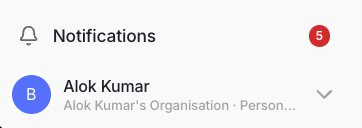
Click the **bell**, near your profile at the bottom of the sidebar.
A red badge on the bell shows how many unread notifications you have. The badge updates on its own while you work.
 The bell opens your **Notifications** page, split into two sections:
* **Unread** — notifications you haven't opened yet.
* **Earlier** — notifications you've already read.
Each notification shows who it's from, a preview of the comment, the workspace it's in, and how long ago it happened.
## Open a mention
Click a notification to go straight to it.
The task opens with the comments panel showing, and the exact comment you were mentioned in is highlighted. Opening a notification marks it as read.
If the mention is in a different workspace, you'll be asked to switch workspaces first. Confirm to switch and open the task, or cancel to leave it for later.
## Mark as read
You can clear notifications in a couple of ways:
* Open a notification — it's marked as read automatically.
* Click **Mark all read** to clear every unread notification at once.
Once everything is read, the badge on the bell disappears.
## What creates a notification
Right now, notifications are created when a teammate **@mentions you in a comment** on a task.
To mention someone, type `@` in a comment and pick their name. See [Comments](/docs/guide/comments) for how mentions work.
The bell opens your **Notifications** page, split into two sections:
* **Unread** — notifications you haven't opened yet.
* **Earlier** — notifications you've already read.
Each notification shows who it's from, a preview of the comment, the workspace it's in, and how long ago it happened.
## Open a mention
Click a notification to go straight to it.
The task opens with the comments panel showing, and the exact comment you were mentioned in is highlighted. Opening a notification marks it as read.
If the mention is in a different workspace, you'll be asked to switch workspaces first. Confirm to switch and open the task, or cancel to leave it for later.
## Mark as read
You can clear notifications in a couple of ways:
* Open a notification — it's marked as read automatically.
* Click **Mark all read** to clear every unread notification at once.
Once everything is read, the badge on the bell disappears.
## What creates a notification
Right now, notifications are created when a teammate **@mentions you in a comment** on a task.
To mention someone, type `@` in a comment and pick their name. See [Comments](/docs/guide/comments) for how mentions work.