

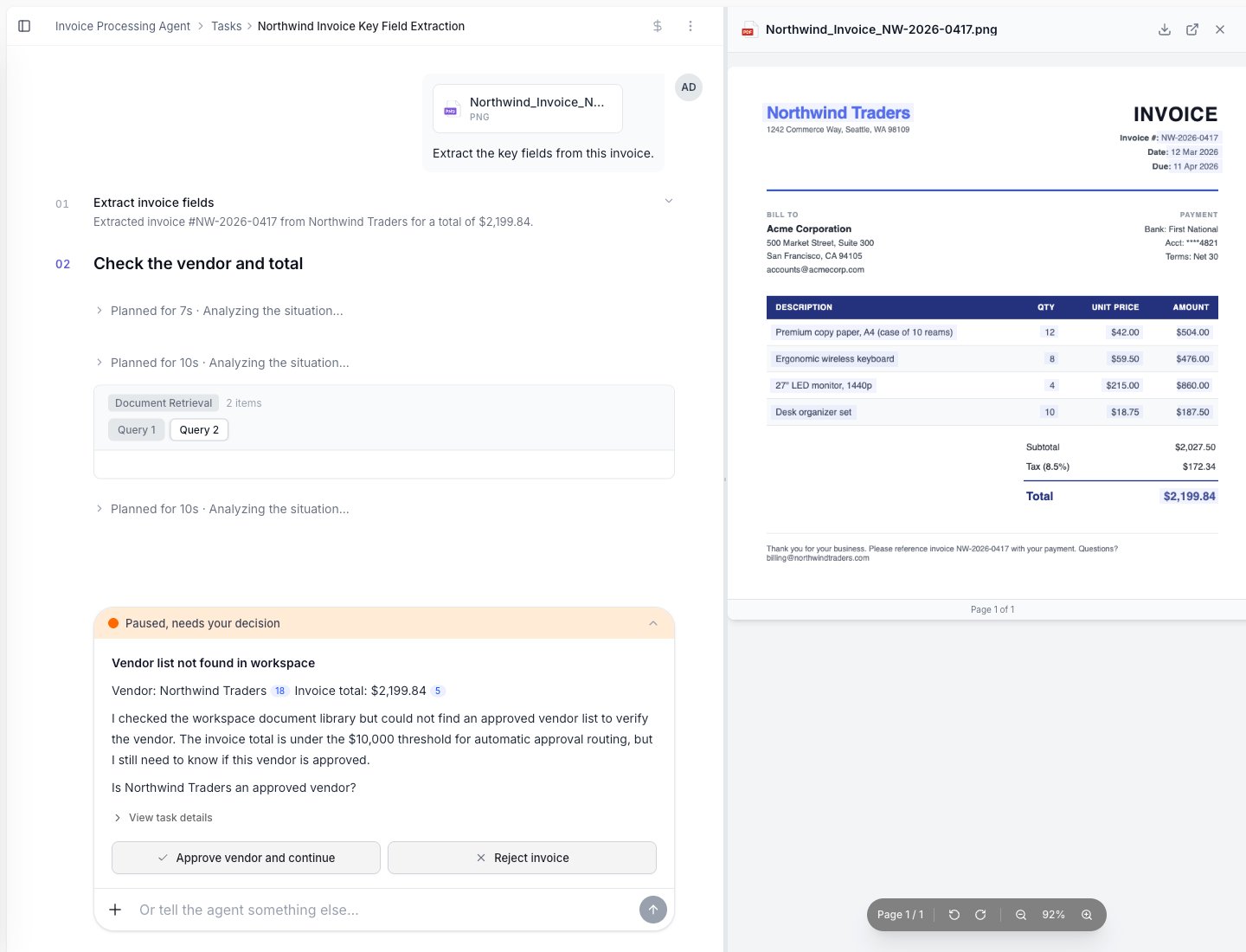
A task feed: your request at the top, each step the agent ran (Extract invoice fields, Check the vendor), and the final result.
Start a task
You can start a task in a few ways:- Start it manually from the agent.
- Upload a file and ask the agent to process it.
- Let a trigger start it, such as a new email or a schedule.
- Start it from an app or API if your team has set that up.
- Let another system start it with a webhook, such as an EHR that sends an event when a fax arrives.
Start tasks from a webhook
Add a Webhook trigger to give the agent a URL. Each JSON event posted to it starts one task, with the event as the task input.- Choose how the sender proves it’s them: a signature made with the sender’s signing secret, a shared header that every event carries, or I don’t have it yet. For a signature, pick the sender (for example Healthie, Stripe, GitHub, Svix or Slack); for any other sender choose Custom and describe how it signs.
- Copy the URL and paste it into the sender’s webhook settings.
- If you chose I don’t have it yet, open the trigger and add the signing secret once the sender shows it. Until then, events are accepted but start no tasks.
- Publish the agent. A new webhook starts tasks only once the published version includes it.
Custom signatures
When the sender isn’t in the list, choose Custom and describe how it signs, as JSON. Choosing Custom right after a listed sender starts you from that sender’s description. For example, a sender that putshex(HMAC-SHA256(secret, timestamp + "." + body)) in X-Signature and the Unix time in X-Timestamp:
The message must sign the body, or a digest header that is checked against the body, so a signature can’t be reused with a different body. The spec is checked when you save.
Follow the task feed
The task feed shows the agent’s work step by step. You may see:- Files the agent read.
- Data the agent extracted.
- Lookups it performed.
- Questions it asked.
- Files or messages it created.
- Final results.
When the agent asks a question
Sometimes the agent needs help. It may ask because a field is missing, a result is unclear, or your rules require human input.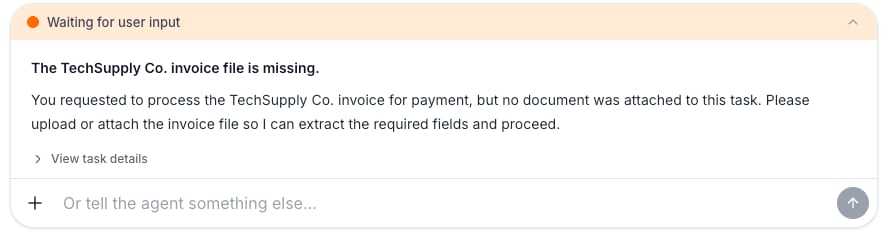
When the agent needs input, the task pauses with a 'Waiting for user input' prompt. Reply in the box to continue.
- Read the question.
- Check the document or context if needed.
- Reply with the missing information.
- The agent continues the task.
When a task needs review
Some tasks pause for approval. This is useful for payments, customer messages, system updates, or anything your team wants a person to check first.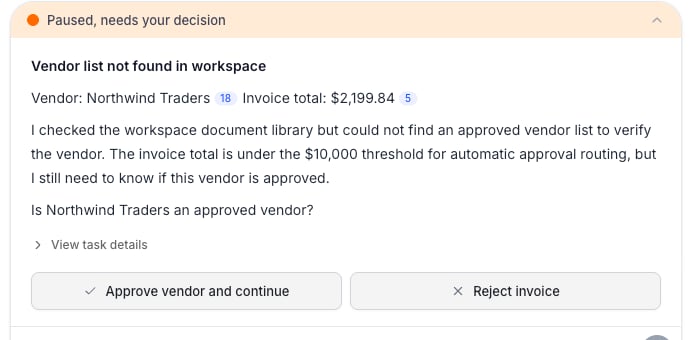
A task awaiting review: the agent explains the decision and pauses with Approve, Request changes, and Reject actions.