

- “Northwind Traders prints the invoice date in DD/MM/YYYY” should only apply to Northwind Traders invoices.
- “Bank statements have the closing balance on the last page” should only apply to bank statements.
Vendor or Document Type is how the agent keeps these straight.
How it works
1
You create a tag group
Give it a name and a description. For example, name it
Vendor with the description “the company that issued the invoice”.2
The agent tags each task
On every task, a Tag Identification (
tag_identification) step runs before planning and tags the task with the matching value (for example Vendor: Northwind Traders).3
Rules are saved under that value
When you correct the agent or add a rule during that task, the rule is scoped to that value. It only applies next time the same value shows up.
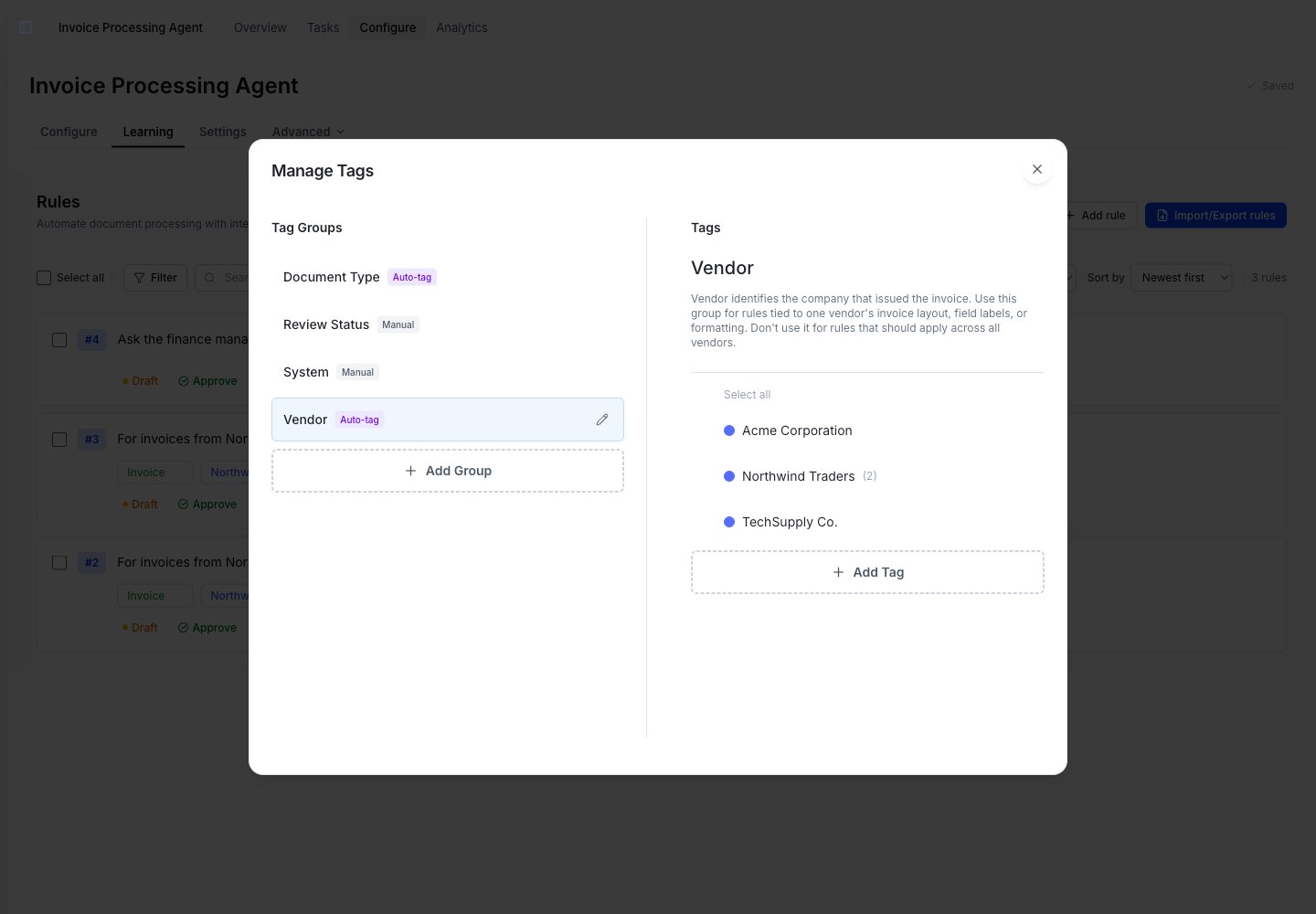
Manage Tags: the Vendor group (Auto-tag) holds values the agent adds as it sees them, while Review Status (Manual) is one you curate yourself.
tag_identification) step before planning begins. Choose Edit, correct a value in the classification table, then use the shared Save and Re-run control. The correction updates the task’s tag associations atomically and later steps run again with the corrected rule scope. When the document provides a reusable identification cue, the agent also creates a draft learned rule for you to review.
Resume from here on Tag Identification re-runs classification (entity tags are cleared and the step runs again). Resume from a later step keeps the tags you already saved.
Choose how the agent handles values
Each tag group has one switch: Automatically add new values.On: the agent manages values
The agent creates matching values and saves related rules under the right value, tagging tasks on its own. Best for open-ended sets like Vendor, Customer, or Currency.
Off: you manage values
You create and apply every value yourself, and the agent won’t tag tasks with this group. Best for fixed labels like Priority, Status, or Review Type.
Automatically add new values is on by default for new groups. Turn it off for groups you’d rather curate by hand.
Write a good description
The description is the most important field. The agent uses it to decide which value a task belongs to and which rules belong to this group. A vague description leads to wrong tags and mis-scoped rules.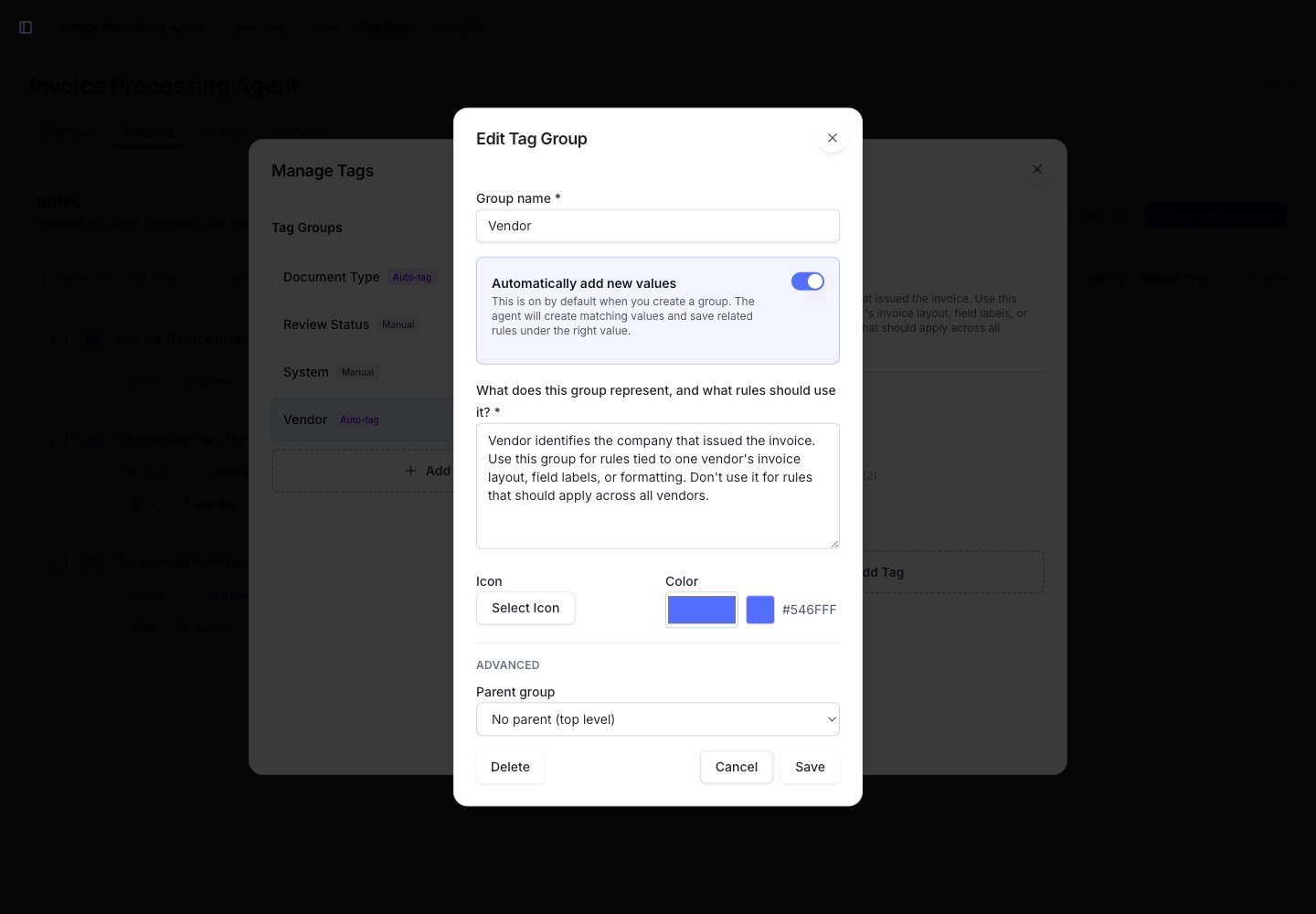
With Automatically add new values on, the description is required. It tells the agent what the group identifies and which rules belong to it.
- Says what the group identifies.
- Says which kinds of rules should be scoped to it (and which should not).
Vendor
How values scope a rule
When you save a rule during a task, the agent attaches it to the values that task was tagged with.- A rule learned on a Northwind Traders invoice is saved under
Vendor: Northwind Tradersand only applies to Northwind Traders invoices. - A rule that should apply to every invoice should not be scoped to a vendor. Keep it as a global (unscoped) rule instead.
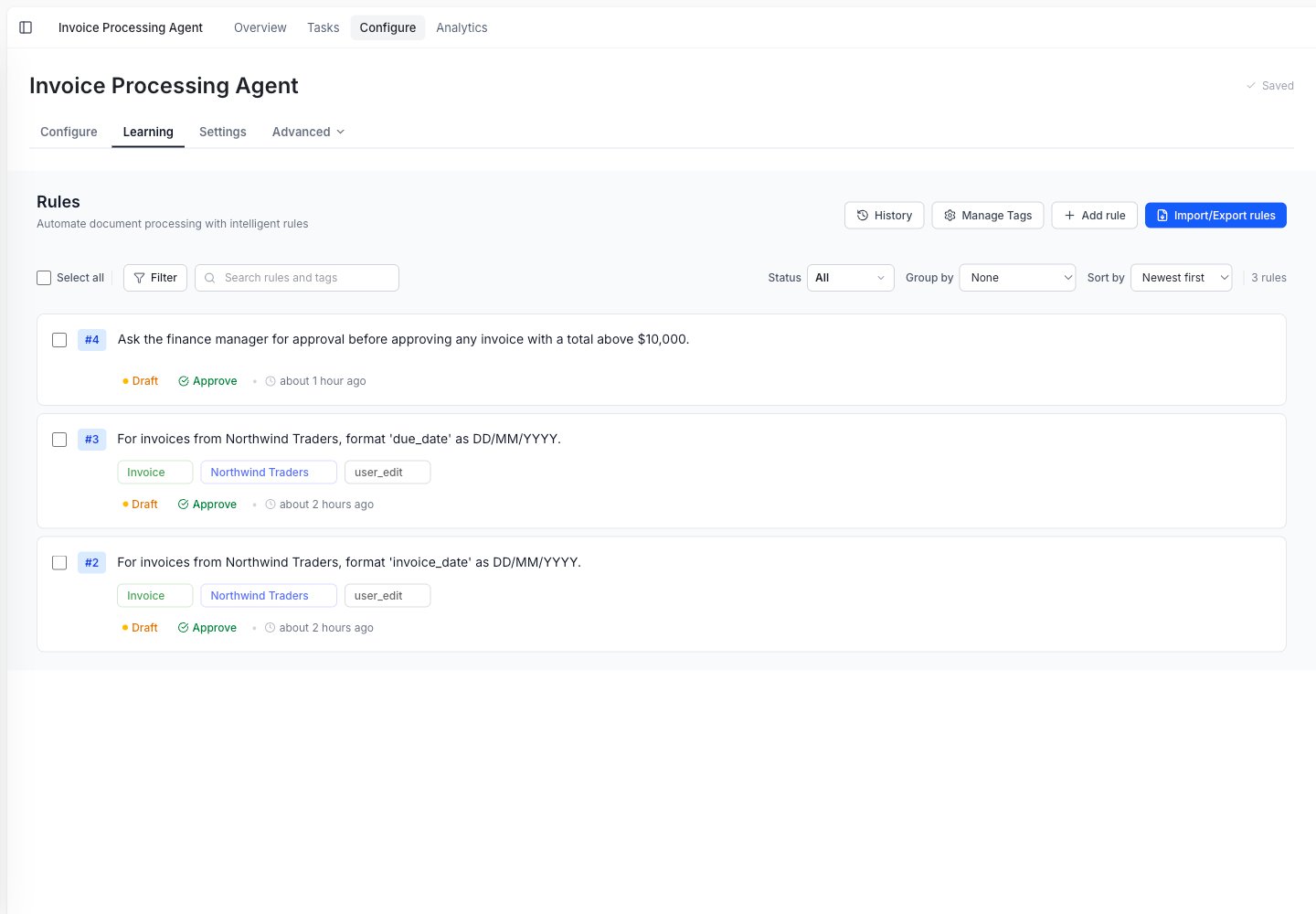
Each rule shows its scope. The two Northwind Traders rules apply only to that vendor; the $10,000 approval rule is general, so it has no scope.
When the agent tags the wrong value
If learnings aren’t landing where you expect, the fix is usually the group’s description or a rule’s scope. Use this as a checklist:
See Rules for how to edit values and rules.
When you don’t need a tag group
You don’t need a tag group for everything.- If a rule applies to every task, keep it as a global (unscoped) rule.
- If you only have one vendor or one document type, you don’t need to group by it yet.
Start without tag groups. Add one when you notice a rule should only apply in a specific context, like one vendor’s layout.